DyslexAid

Make any page easier to read.

A free Chrome extension for dyslexia, ADHD, and low vision.

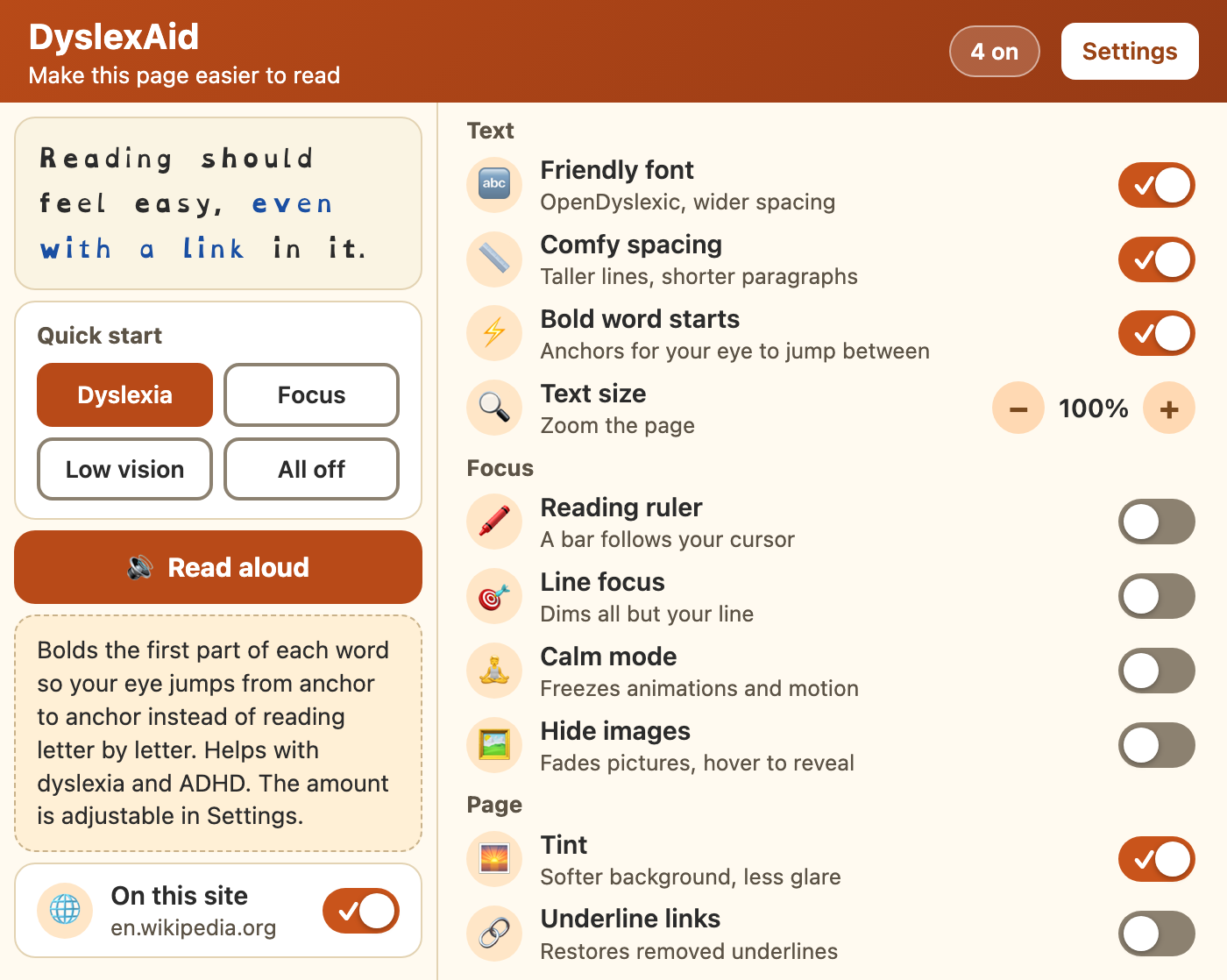
One click gives you a dyslexia-friendly font, bold word starts, a reading ruler, a calmer page, or a voice that reads it to you. Nothing leaves your browser.

The DyslexAid popup: a preview sentence, four quick-start presets, and a list of switches for each feature

What it does

Friendly font

Swaps the page to OpenDyslexic, whose heavy letter bottoms keep b, d, p, and q from flipping.

Bold word starts

Bolds the first part of each word so your eye jumps from anchor to anchor. Works on endless feeds too.

Comfy spacing

Taller lines, shorter paragraphs, left-aligned text, and lines capped at a readable length.

Reading ruler

A soft bar follows your mouse, or your keyboard, so you never lose your line.

Line focus

Dims everything except the band you are reading. The ruler's stronger sibling.

Calm mode

Freezes animations and moving parts. For ADHD, migraines, and motion sickness.

Read aloud

Reads your selection or the whole article using the voice already in your browser.

Tint

Cream, blue, yellow, or green over a glaring white page. Dark pages are left alone.

And more

Hide images, underline links, zoom text to 160%, pause it on one site, and keyboard shortcuts for all of it.

Before and after

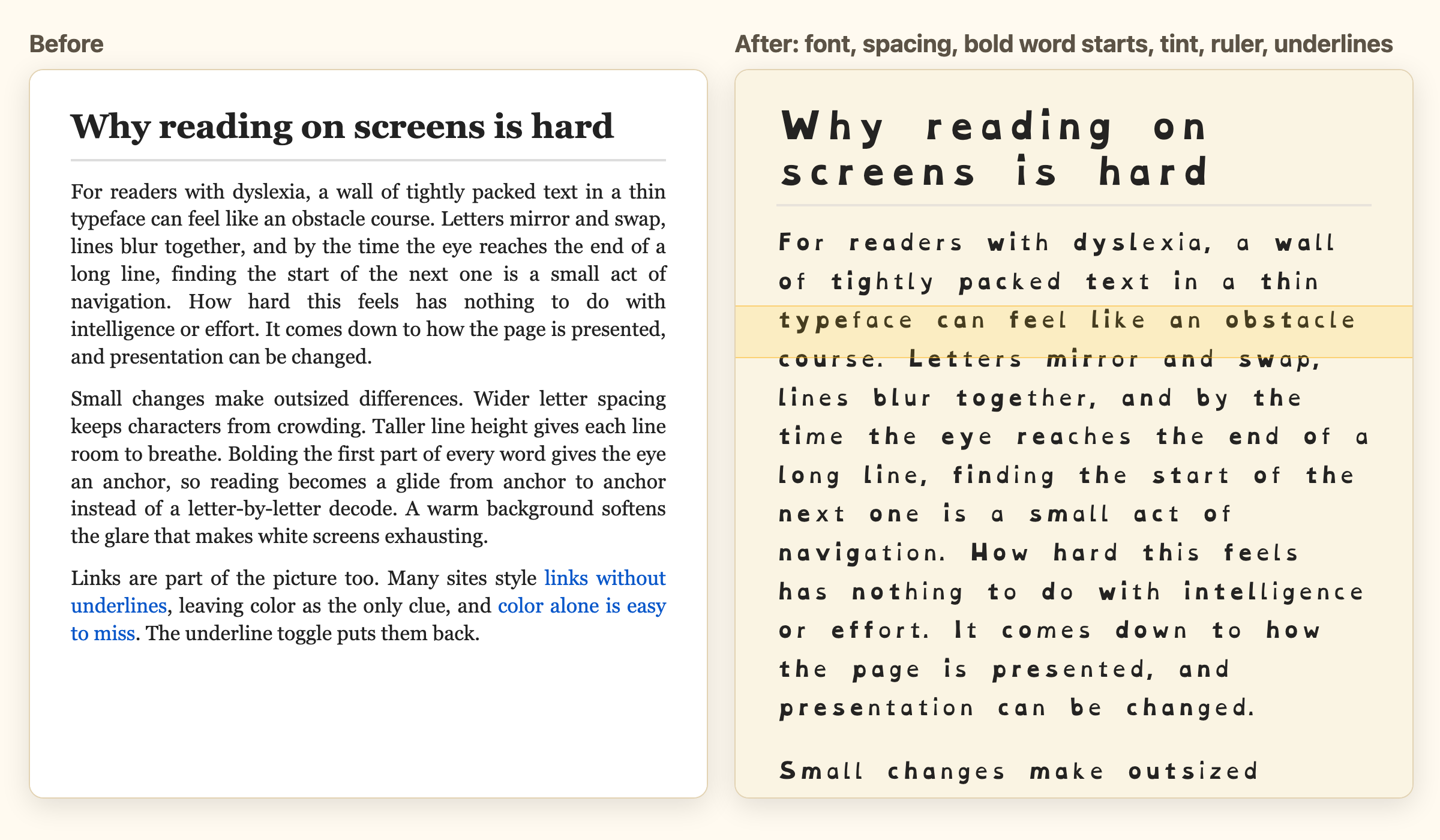
The same article twice: plain on the left, and on the right with the friendly font, wider spacing, bolded word starts, a cream tint, and a reading ruler

Who it's for

Dyslexia

The Dyslexia preset turns on the font, spacing, bold word starts, and a tint in one click. Adjust the amount and color in settings.

ADHD

The Focus preset stills the page: ruler on, animations off, images faded until you hover.

Low vision

Bigger text, wider spacing, underlined links, and the ruler. The popup itself was measured against WCAG AA.

Anyone tired of glare

A cream tint and a calmer page are easier on everyone at 11pm.

Private by design

DyslexAid has no analytics, makes no network requests, and needs no account. Your settings stay in your own Chrome profile. Read aloud uses the speech engine on your computer, so text is never sent anywhere. Full privacy policy.

Install

The Chrome Web Store listing is on its way. Until then, install it in about a minute:

  1. Download the latest zip and unzip it.
  2. Open chrome://extensions and turn on Developer mode (top right).
  3. Click Load unpacked and choose the unzipped folder.
  4. A welcome page opens. Pick a preset and you are done.